
As an Amazon Associate, I earn from qualifying purchases.
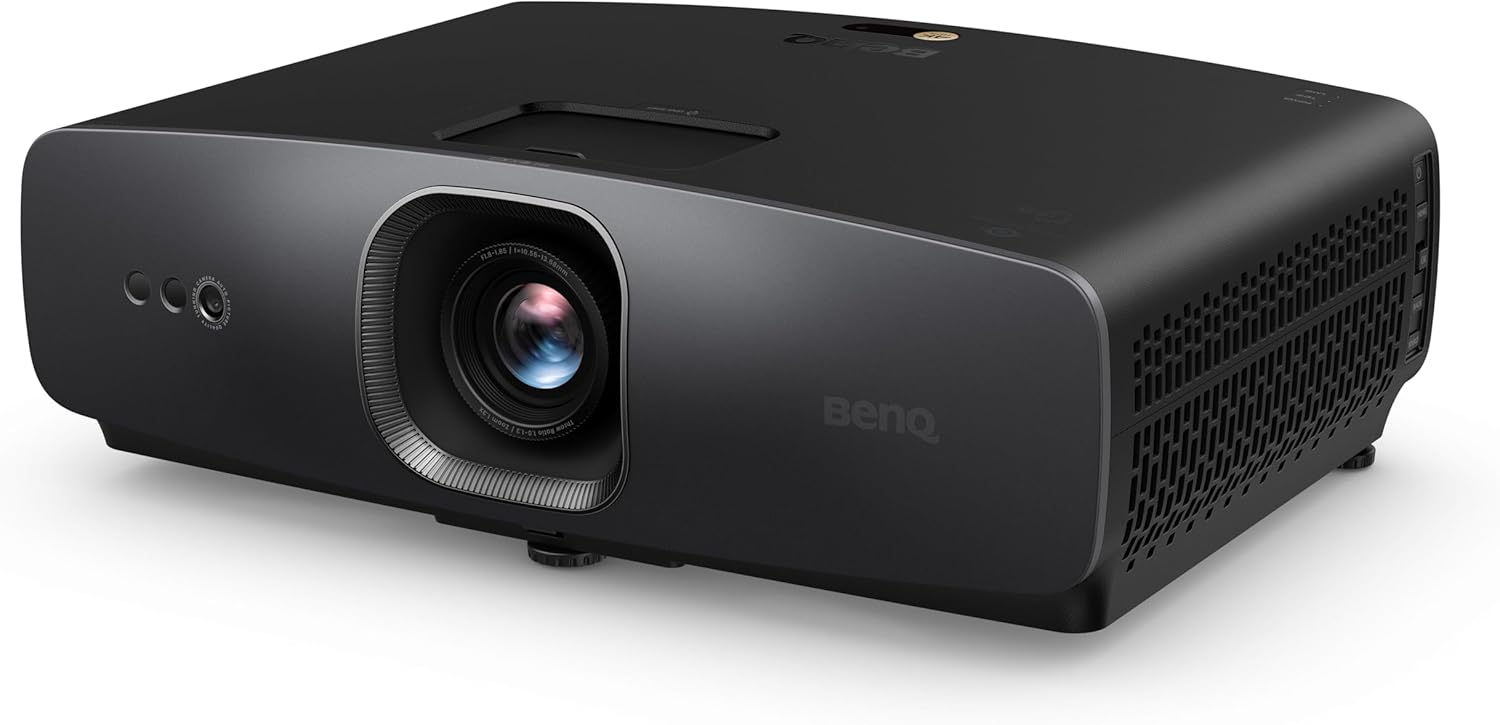
BenQ W2720i Review: The “AI” Upgrade Your Living Room Cinema Needs.
As an Amazon Associate, I earn from qualifying purchases.
For years, home theater enthusiasts have been divided into two camps: those with dedicated “bat caves” (pitch-black rooms) who prioritize perfect contrast, and those with living rooms who need massive brightness to fight the sun. The BenQ W2720i attempts to bridge this gap by introducing “AI Cinema Mode”—a smart feature designed to dynamically adjust the picture based on your room’s ambient light and the content on screen.
Ideally, this means you no longer have to fiddle with complex settings every time you turn on a lamp or switch from a moody drama to a bright sports broadcast. As a successor to BenQ’s highly acclaimed W2700/HT3550 line, the W2720i moves away from traditional lamps to a 4LED light source, offering longer life and more consistent color.
Whether you are building a dedicated cinema, a high-end golf simulator, or just want a massive 120-inch screen for Netflix in your living room, the W2720i promises “out of the box” perfection. Let’s break down if the AI features are a gimmick or a game-changer, how the 4LED engine performs, and if it’s worth the premium price tag.
Key Features & Specifications
The W2720i is packed with specs that appeal to both videophiles and casual streamers. Here is what makes it tick:
- Resolution: 4K UHD (3840 x 2160) via True 4K pixel-shifting technology.
- Light Source: 4LED (RGBB) engine providing 2,500 ANSI Lumens and a 30,000-hour lifespan.
- AI Cinema Mode: Real-time optimization that adjusts brightness and contrast based on ambient light sensors.
- Color Accuracy: Factory calibrated to cover 90% of DCI-P3 and 100% of Rec.709 color spaces.
- Smart Features: Comes with a Google-certified Android TV dongle (QS02) hidden internally for native streaming.
- Gaming Ready: Low input lag (17.9ms at 4K/60Hz) making it suitable for casual gaming and golf simulation.
- Installation: 1.3x Zoom and Vertical Lens Shift for flexible placement.
Real-World Performance & Use Cases
The “AI” Difference: In a perfect world, we would all watch movies in total darkness. In reality, we often have a kitchen light on or sunlight creeping through the blinds. The W2720i’s AI mode is surprisingly effective here. It boosts shadow detail in brighter rooms so you don’t lose the image, but pulls back to prioritize deep contrast when the lights go out. It effectively removes the need to constantly switch between “Cinema” and “Bright” presets manually.
Color Accuracy: BenQ is legendary for its factory calibration, and the W2720i continues this tradition. Skin tones look natural immediately—no “sunburn” effect or greenish tints that plague cheaper projectors. The 4LED light source adds a richness to the color volume that traditional lamp projectors often lack, maintaining that saturation even as the projector ages.
For Golf Simulators: While marketed as a cinema projector, the W2720i is a fantastic “crossover” unit for luxury golf simulators. Its 4K resolution makes software like GSPro look incredible (you can see the grain in the sand traps), and the 2,500 lumens is bright enough for a sim room that isn’t completely blacked out. The 1.3x zoom allows you to place the unit safely behind the hitting area (depending on your screen size), keeping it out of the swing path.
Design & Build Quality
The unit features a sleek, white chassis that blends well with living room ceilings. A thoughtful design touch is the internal compartment for the Android TV dongle. Instead of having a stick hanging off the back of the projector, it tucks away inside the housing, keeping the installation clean and wire-free.
The lens controls (zoom and focus) are manual but smooth, allowing for precise adjustments. The inclusion of vertical lens shift is a massive bonus at this price point. It allows you to move the image up or down physically without using digital keystoning, which degrades the 4K image quality. This flexibility is a lifesaver if you have a ceiling fan or light fixture slightly blocking your path.
Ease of Use / Setup
Setup is designed to be “set and forget.” Once you plug in the dongle and connect to Wi-Fi, the projector behaves like a smart TV. You have direct access to Netflix, Disney+, and Prime Video without needing an external Apple TV or Roku. The remote is backlit (essential for dark rooms) and features a dedicated button for the AI mode, letting you toggle the optimization on or off instantly.
The auto-calibration features, including auto-keystone and screen fit, work well for temporary setups (like moving the projector to the backyard for a night), but for a permanent installation, we always recommend using the physical lens adjustments for the sharpest picture.
Standout Features
Filmmaker Mode: For purists who want to see exactly what the director intended, the W2720i supports “Filmmaker Mode.” This disables all the motion smoothing and artificial sharpening processing, delivering a raw, cinematic 24fps image that looks organic and film-like.
4LED Durability: Unlike traditional lamp projectors that dim significantly after a few thousand hours, the 4LED engine in the W2720i is rated for up to 30,000 hours in Eco mode. You could watch a 2-hour movie every single day for over 40 years before needing to worry about the light source.
Pros & Cons
The W2720i is a premium mid-range projector, but it isn’t without competition.
- Pros:
- Exceptional “out of the box” color accuracy requiring no manual calibration.
- AI Cinema Mode effectively adapts the picture to changing room lighting.
- 4LED light source offers long life and consistent brightness over time.
- Sharp 4K image is excellent for movies and high-res golf simulation.
- Vertical lens shift makes ceiling mounting significantly easier.
- Cons:
- Black levels are good for DLP but still lag behind more expensive laser or LCoS projectors.
- Fan noise can be noticeable in the highest brightness “Normal” or “Smart Eco” modes.
- 2,500 Lumens is great for dim rooms, but struggles in direct daylight compared to 4,000+ lumen office projectors.
Who This Product Is Best For
The BenQ W2720i is the ideal choice for the “living room cinephile.” If you want a massive screen experience but don’t want to paint your walls black or block out every single window, the AI features and high brightness make this a versatile winner.
It is also a top-tier option for DIY golf simulator builders who want a projector that can double as a 4K movie theater for the family. If you value color accuracy and ease of use over raw, scorching brightness, the W2720i is one of the most balanced projectors on the market today.
Final Thoughts
The BenQ W2720i proves that you don’t need a dedicated, light-controlled dungeon to enjoy a high-quality 4K home theater. By combining the longevity of LED technology with the smarts of AI image processing, it delivers a picture that looks vibrant and natural in a wide variety of environments. While it carries a premium price tag, the combination of zero-maintenance lighting, incredible color fidelity, and smart streaming integration makes it a future-proof investment for your home entertainment setup.
As an Amazon Associate, I earn from qualifying purchases.